Personal project · Experimental tooling
Video outpainting
Expand a video’s canvas by generating the missing regions, with a focus on consistency from frame to frame.
- My role
- Prototype & integration
- Goal
- Adapt a video’s format
- Challenge
- Consistency over time
- Stage
- Experimental prototype
Change the format while keeping the scene
The end goal was to adapt footage to another frame by generating what is missing around the image. That can mean widening a 4:3 video to 16:9 or preparing a portrait composition from a landscape shot.
My prototype initially focused on the second case: placing landscape footage inside a portrait canvas and filling the areas above and below it. The 4:3-to-16:9 example below explains the general idea; it is not a measured result from my code.
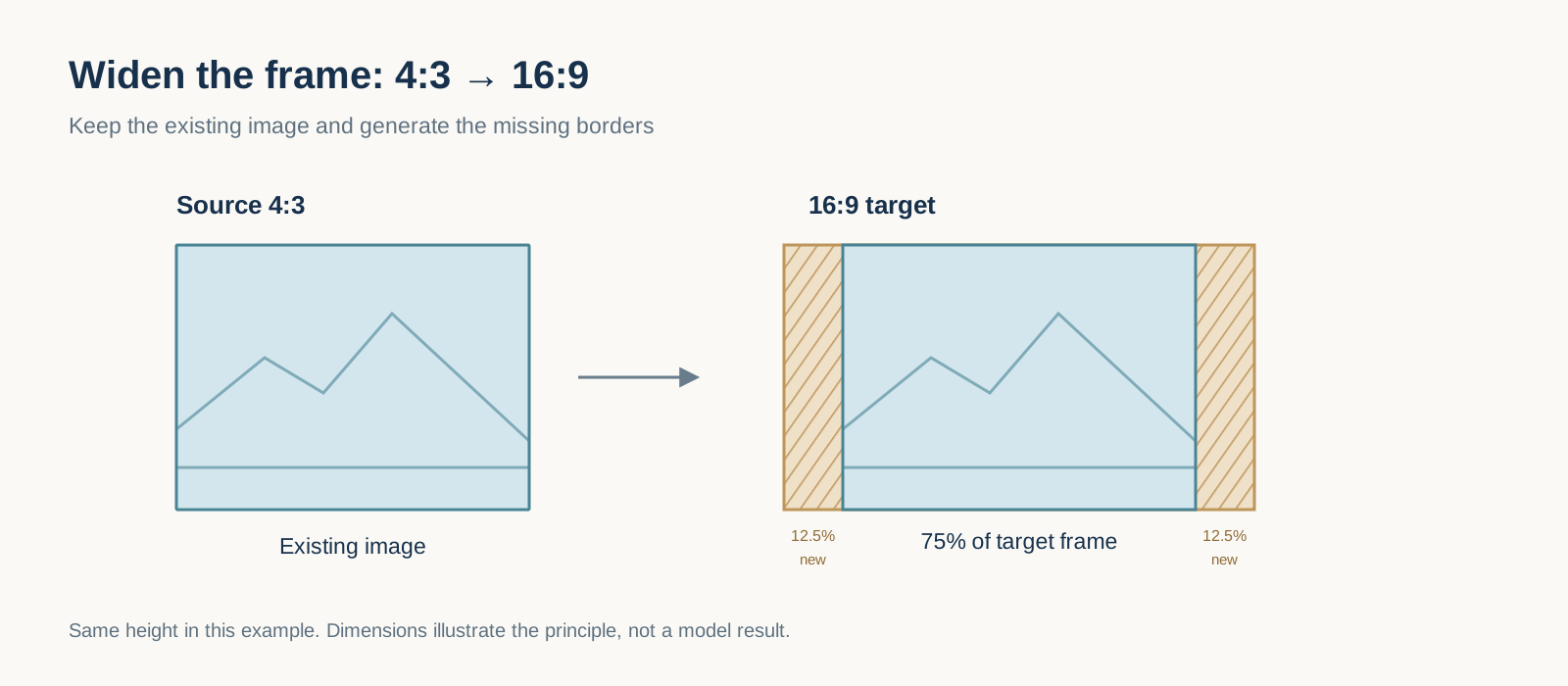
What video outpainting looks like
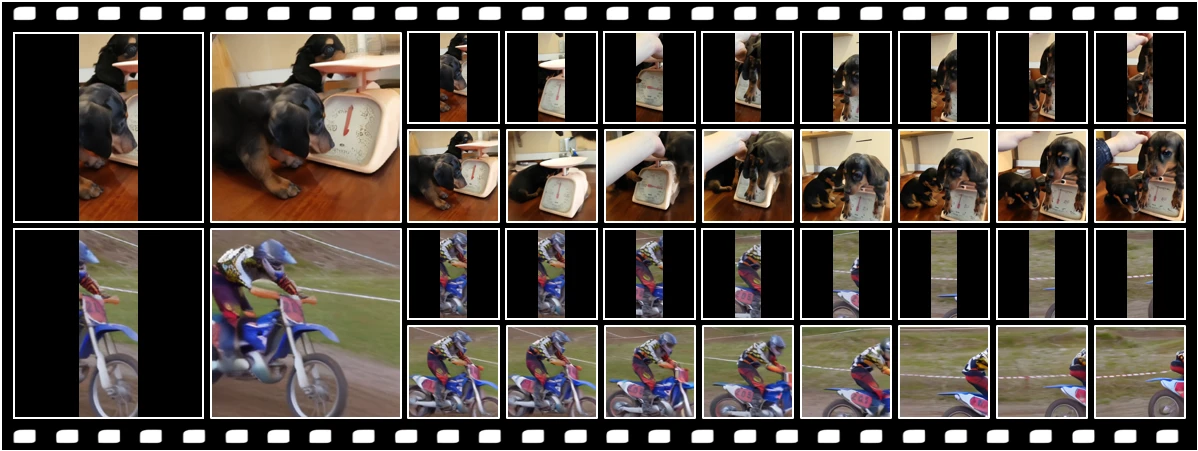
Seen-to-Scene’s examples make the idea visible on real sequences: observed content remains recognizable while the visible field is extended. The examples below come from InSeok Jeon and his coauthors’ research project.
They illustrate the kind of outcome I wanted to work towards, rather than outputs from my prototype. I did not implement or train Seen-to-Scene; my project explores its own orchestration of diffusion and motion-guided propagation.
The hard part: keeping the surroundings consistent
A single expanded frame can look convincing. In a video, textures, objects and lighting also need to stay coherent as the camera or subjects move. Generating every frame independently can produce surroundings that change or flicker.
The pipeline uses estimated motion to warp the preceding generated frame and initialize the next fill. It also computes a propagated latent-noise state, but this version does not yet pass that state into the inpainting call. That part of the intended continuity mechanism remains unfinished.
Build a pipeline I can inspect
The code separates frame extraction, canvas and mask preparation, motion estimation, propagation, filling and clip reconstruction. It also provides a deflicker stage and audio reassembly.
Generation uses a Diffusers inpainting integration. A deterministic fill mode lets me test the pipeline mechanics without running the model. The stages are configurable so I can isolate a problem or replace an implementation.
A clip’s path through the prototype
- Prepare — Extract frames, build the canvas and mask the areas to fill.
- Propagate & generate — Estimate motion, carry preceding state and fill the missing areas.
- Inspect & assemble — Collect diagnostics, apply post-processing and rebuild the video.
What I tested, and what remains
One saved short run contains three adjacent-frame comparisons: mean SSIM 0.9239 and mean flow-warped temporal error 3.5450. These values help inspect that small run. They do not mean “92% visual quality” and are not a controlled comparison against another method.
The end goal remains a format-adaptation tool I could evaluate across varied scenes, with the source frame and generated regions clearly identified. I still need representative outputs across a wider range of scenes to judge the visual result.
- Comparisons in the short run
- 3
- Mean SSIM · local short run
- 0.9239
- Mean temporal error · code-specific scale
- 3.5450